
Subscribing
There is a single way to connect to a tipster: you subscribe to their service. The Subscribe button sits in the upper right corner of every profile header. A service is either free (price 0 EUR) or paid (a fixed monthly price),and in both cases a subscriber receives every pick the tipster publishes, in real time.
The old free "follow" tier has been removed. If you used to follow a tipster, you are now a free subscriber of that service and receive every pick it publishes, not just the ones marked free.
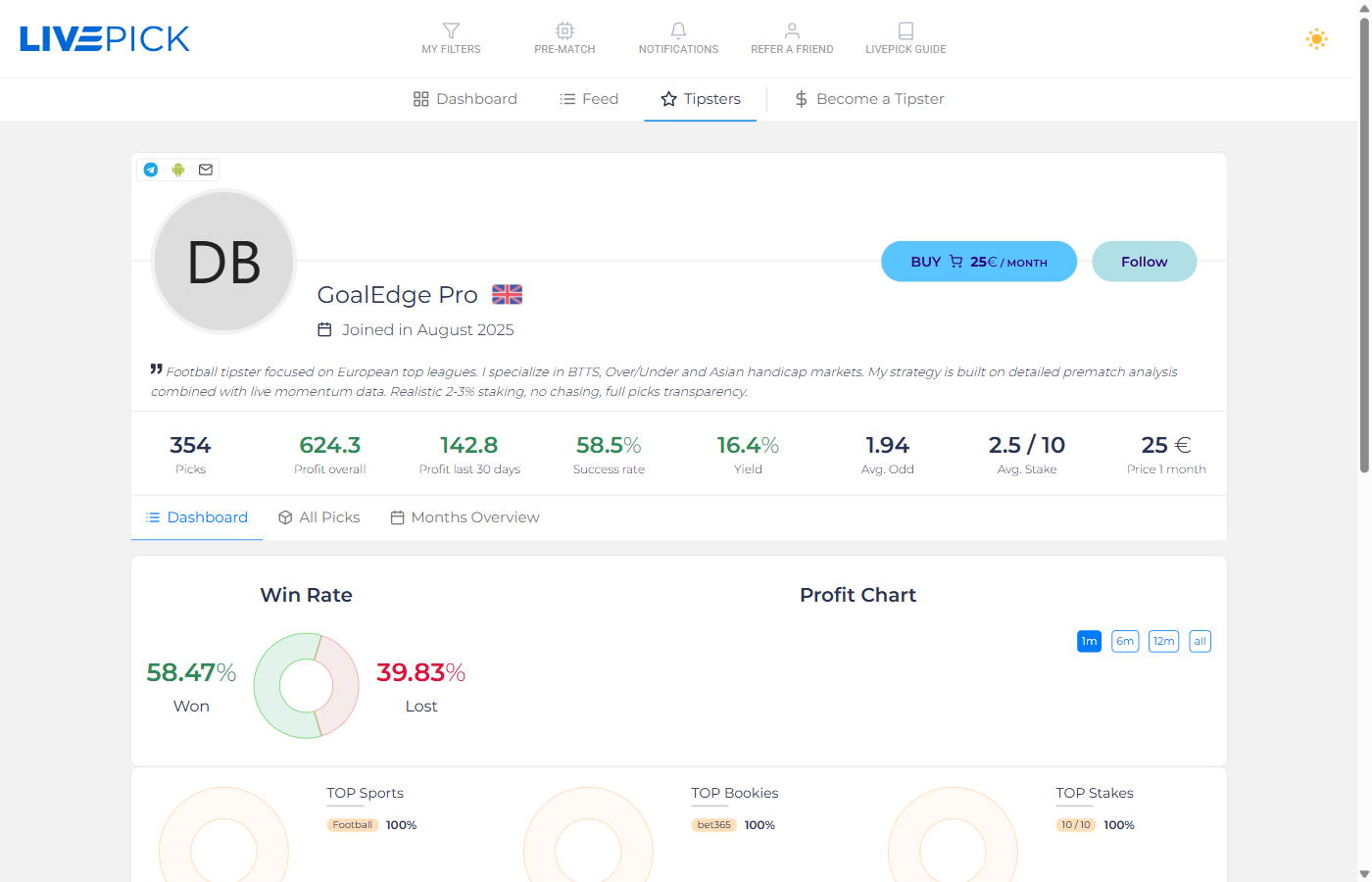
Free vs Paid services
- Free service (price 0 EUR) - the Subscribe button is marked FREE. One click and you are subscribed at no cost, receiving every pick immediately. No payment, no expiry.
- Paid service - the Subscribe button shows the monthly price. After payment you receive every pick in real time for 30 days. A paid tipster can still mark individual picks as free, and those free picks are visible to everyone on the profile as a public sample.
Pricing
Every paid tipster sets one fixed monthly price. There are no tiers, no discounts, no upsells - just one price for 30 days of access. Free services use a price of 0 EUR, in which case the button simply reads FREE.
Paid subscriptions are not auto-renewing. When 30 days pass, the access expires and you decide whether to extend manually. This protects you from unwanted charges and from being locked into a service that turned cold.
How to subscribe to a paid service
Click the Subscribe button on the tipster's profile. You will see a modal with payment options:
- PayPal - the safest international option. You pay directly through PayPal and the access is activated automatically when PayPal confirms the payment (usually within seconds).
- pays.cz - secure payment gateway supporting card payments and multiple payment methods. Available for international users with standard payment cards.
You must be logged in to subscribe. If you click Subscribe while logged out, you are redirected to the login page first. For a free service there is no payment step: a single confirmation subscribes you instantly.
Receiving picks
After your subscription is active (free or paid),you will receive a pick notification through every channel the tipster has enabled - typically Telegram and the LivePick mobile app, sometimes also e-mail. The notification contains:
- Match (home vs away, competition)
- Kick-off time
- Market (e.g. Over 2.5, BTTS yes, Asian Handicap -1.5)
- Odd at publish time (and the bookmaker)
- Stake (in units, on a 10-unit scale)
- Optional comment from the tipster
If you missed a notification, all active picks are also visible directly on the tipster's profile.
Talking to your tipster
As a subscriber you can also message the tipster directly from your Tipsters dashboard: ask about a pick, request clarification, or just say thanks. See Messages for the full walkthrough.
What if the tipster stops publishing?
If a tipster takes a break (e.g. holiday or end-of-season),they enable Season break on their profile. You see an orange "Season break active since <date>" badge on the header, and for paid subscribers the remaining time is frozen so you lose nothing. The system also notifies all active subscribers.
Cancelling
For a paid service there is nothing to cancel - the subscription is a one-shot 30-day access that ends automatically. For a free service you can simply unsubscribe from the profile or your dashboard at any time.