
Resolving Picks
After a match ends, every published pick must be resolved - marked as won, void or lost. Resolved picks are what produces your statistics. Until a pick is resolved, it sits in Pending Picks and does not affect Profit, Yield or Hit Rate.
LivePick provides three ways to resolve picks: Auto resolver, Manual resolver and One-click resolve from notifications.
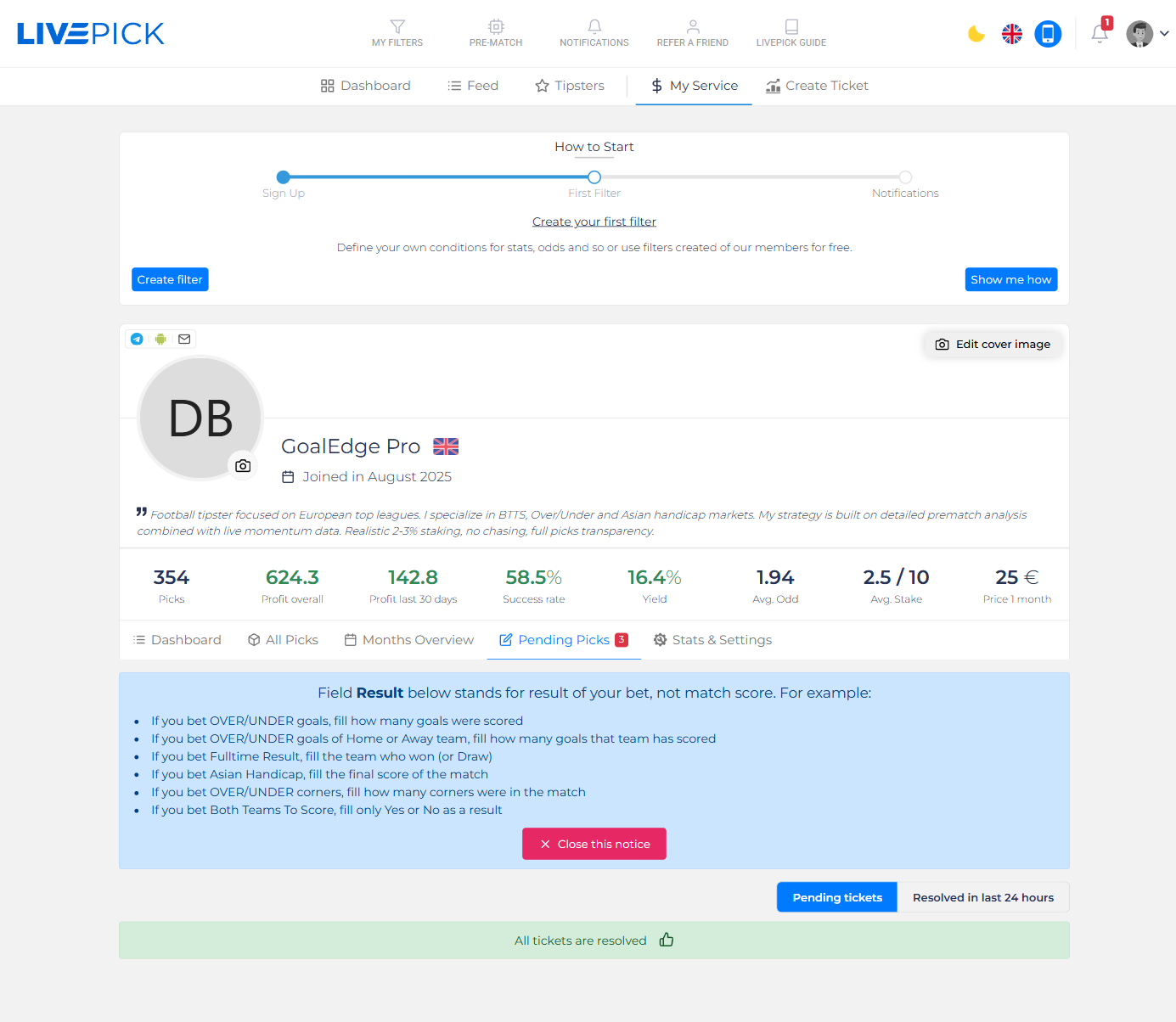
The screenshot above shows the Pending Picks tab on your My Service profile. The blue notice at the top reminds you of the most important rule:
- If you bet OVER/UNDER goals, fill how many goals were scored.
- If you bet OVER/UNDER goals of Home or Away team, fill how many goals that team has scored.
- If you bet Fulltime Result, fill the team who won (or Draw).
- If you bet Asian Handicap, fill the final score of the match.
- If you bet OVER/UNDER corners, fill how many corners were in the match.
- If you bet Both Teams To Score, fill only Yes or No as a result.
In other words: the Result field is the actual outcome of the thing you bet on - not the match score. This is the source of confusion for new tipsters.
Auto resolver
For supported markets (most goals/corners/cards markets, full-time result, BTTS, Asian Handicap, Double Chance),LivePick can resolve the pick automatically by reading the official match result. You enable Auto resolver per service in Stats & Settings → General.
The resolver runs as soon as the match ends. Typical lag is 5 - 30 minutes after the final whistle, depending on how quickly the data feed publishes the final stats. You will see resolved picks appear in Recently Graded Picks on the Dashboard tab and in Resolved in last 24 hours filter on the Pending Picks tab.
Note: some markets cannot be auto-resolved (e.g. exotic specials, player props). For those you will always need the manual resolver.
Manual resolver
Open Pending Picks, find the ticket, and fill in the result. The form adapts to the market:
- For a goals total - type the number of goals (e.g. 3).
- For a result market - pick Home / Draw / Away.
- For BTTS - pick Yes or No.
- For Asian Handicap - type the final score (Home : Away).
Click Resolve. The pick is moved to history, the win/void/loss is calculated based on your selection and the locked-in odd, and your statistics are recalculated within a minute.
Cancel evaluation
If you resolved a pick incorrectly, you can roll it back. Open the pick in All Picks → click the actions menu → Cancel evaluation. The pick returns to Pending Picks and you can resolve it again. This is rate-limited to prevent abuse of historical stats.
Void picks
Some matches are postponed, cancelled or never played to the end. In these cases the bet is voided by the bookmaker - neither won nor lost, stake is returned. To replicate that on LivePick, resolve the pick as Void. Void picks count into your total picks count but do not affect Profit or Yield.
Statistics impact
Every resolved pick triggers a recalculation of all your statistics:
- Profit overall and Profit last 30 days are updated
- Yield is recalculated as (new profit) / (total stake) × 100
- Hit rate (Success rate) is recalculated as won / (won + lost),excluding voids
- Win Rate donut, Profit chart, Monthly overview - all redrawn
- Subscribers receive a result notification (optional, configurable)
Because the timestamp of resolution is recorded too, anyone can audit when a pick was resolved relative to the match end - another layer of transparency.
Resolution discipline
- Resolve within 24 hours. Picks pending for too long damage trust. Subscribers want closure.
- Be honest on void. If a match was abandoned, mark it Void; don't try to spin it as a win or loss.
- Use Auto resolver where possible. Less manual work and zero room for "creative" resolution.
- Audit yourself. Once a week, run through the last 30 days of picks and check if anything looks off. A clean record is your single biggest sales asset.