
Publishing Picks
Once your service is created, you can publish picks through the Create Ticket page. Picks must always be published before kick-off - once a match has started or finished, the option to publish for that fixture is removed. This is the foundation of LivePick's verified stats.
Opening the form
Click Create Ticket in the Tipsters submenu. You will see two lists side-by-side - competitions / matches on the left, odds and markets on the right.
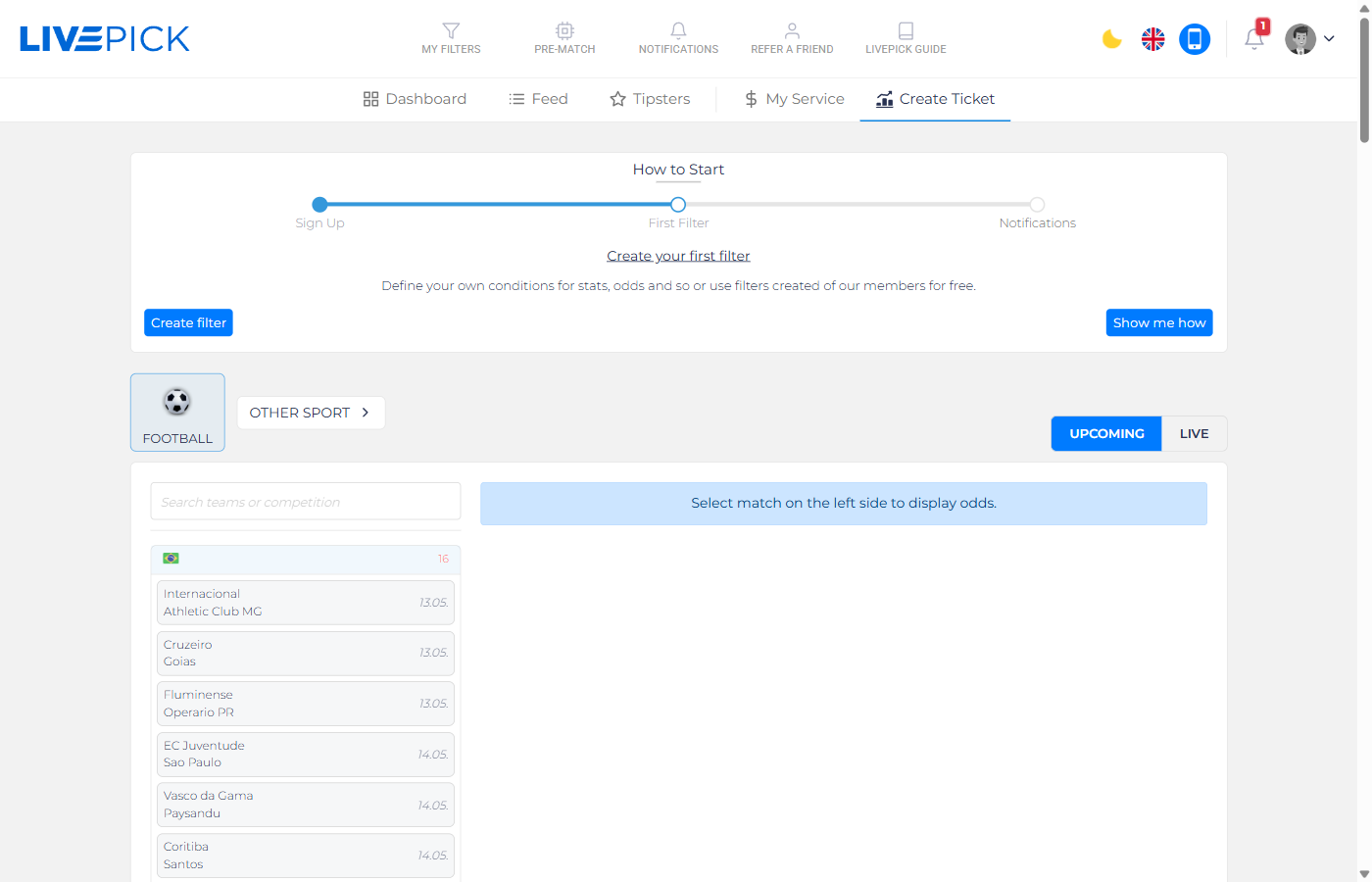
- Football / Other Sport tabs in the upper-left switch between sports.
- UPCOMING / LIVE toggle on the right switches between prematch and in-play fixtures.
- Use the Search field above the competition list to find a team or league quickly.
Selecting a match
Click on a competition to expand it. A list of upcoming fixtures appears, each row showing the home and away team and the kick-off date. Click on a match to load its full odds catalog into the right pane.
Picking a market and odd
The right pane groups odds by market - 1X2, Double Chance, Both Teams To Score, Over/Under, Asian Handicap and so on. Click on the exact odd you want to bet - that price is locked into the pick. We display the bookmaker logo next to every price so subscribers know where to find that odd.
After selecting an odd, the pick form opens with:
- Stake - in units on a 10-unit scale. Be consistent across picks; subscribers value discipline.
- Comment (optional) - a short note for your subscribers ("home in great form, away missing 2 starters").
- Free pick - on a paid service you can mark an individual pick as free. A free pick is delivered to all of your subscribers and shown publicly on your profile as a sample, so non-subscribers can taste your quality. A normal pick goes only to your subscribers. On a free service every pick is free automatically, so there is no toggle.
- Language - the language of the comment, so subscribers in different markets get the right translation.
After you click Publish, the pick is sent to all of your subscribers through their notification channels (Telegram, mobile app, e-mail) and appears in Currently Active Picks on your profile.
Editing & cancelling
For transparency reasons, you cannot edit a pick after it is published - that would defeat the purpose of verified stats. The only allowed action is cancel before kick-off: if a starting lineup turns the bet upside down (e.g. your key player is benched),open the pick in Pending Picks and click Cancel. Cancelled picks are excluded from stats. After kick-off, cancellation is no longer possible.
Multi-leg tickets (accumulators)
Before clicking Publish, you can add more legs to the same ticket. Open another match, pick another odd, and it joins the open ticket. The combined odd is multiplied automatically. Mark the ticket as Single, Double or Accumulator depending on how many legs it contains.
Best practices
- Publish early. Picks published 6 - 24 hours before kick-off are more valuable than picks published 5 minutes before - subscribers need time to place the bet at the right odd.
- Write context, not hype. "Lock of the day" is meaningless. A short note about form, injuries or a specific angle adds real value.
- Stick to bookies with global coverage. If you only use a niche regional bookmaker, half of your audience cannot match the odd.
- One pick per match. Do not hedge yourself by publishing both BTTS Yes and BTTS No on the same fixture.
Read Filter Connections next to see how you can automate publishing directly from your scanner filters.