
Filter Connections
Filter Connections is the automation bridge between your scanner filters and your tipster service. When a connected filter picks a match, the system automatically publishes a pick on your behalf, with the exact odd, stake and market you have pre-configured. No manual work required.
This feature is what makes LivePick unique - your scanner does the analysis, your tipster service does the publishing, and your subscribers receive verified picks generated by an algorithm you fine-tuned yourself.
Opening the page
Go to My Service → Stats & Settings → Filter connections in the left side panel. All of your connections live under one section, Tickets for Subscribers. Filter connections now publish to subscribers only: the former separate "Followers" section has been removed.
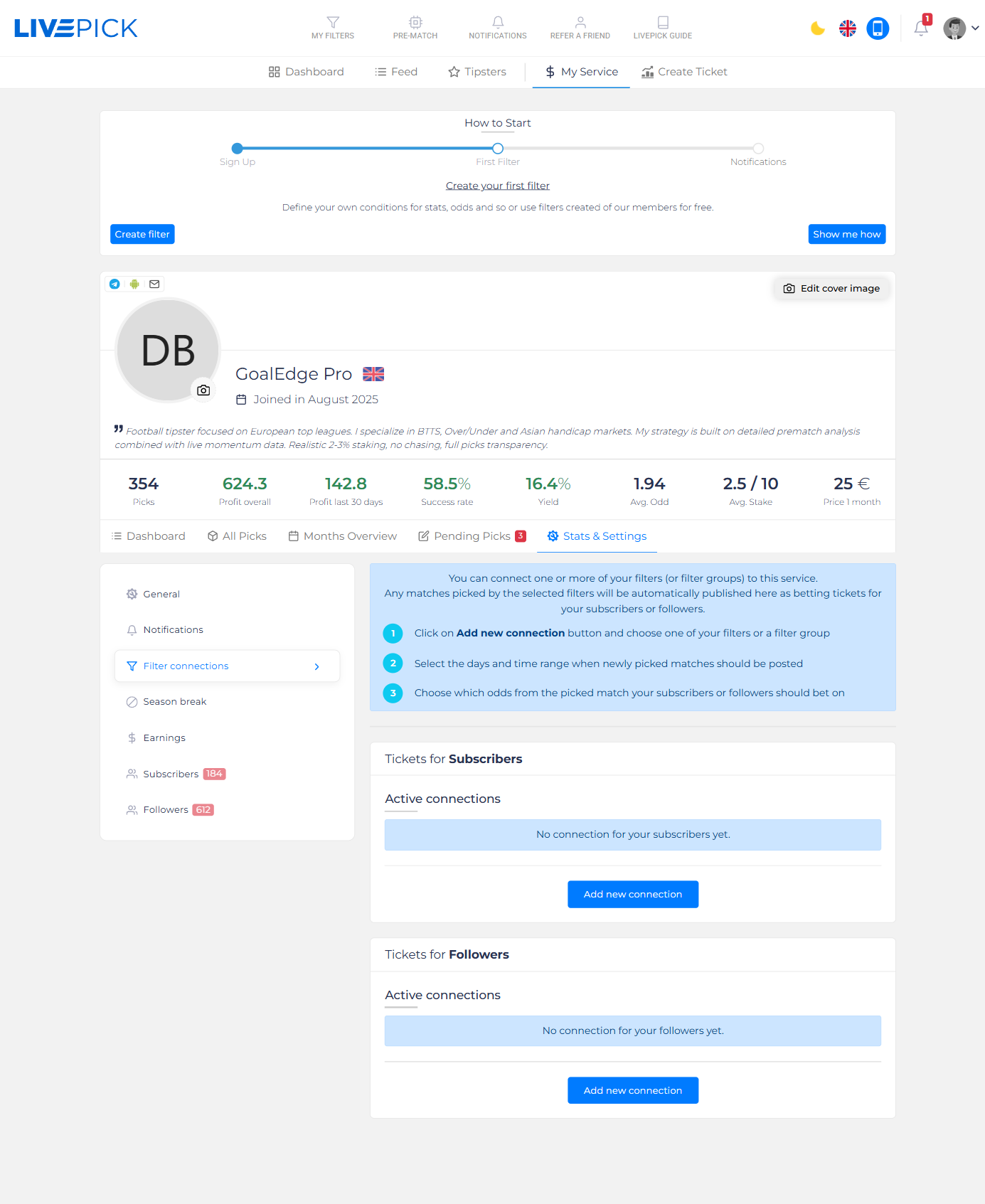
Adding a connection
Click Add new connection and choose one of your filters or group of filters. A configuration panel opens with the following settings:
- Stake - units on a 10-unit scale, identical to manual publishing.
- Odds source - which bookmaker odd LivePick should publish. Usually you want the same bookie your filter is set up for.
- Market & selection - the exact bet that will be published when the filter triggers (e.g. Over 2.5, BTTS yes).
- Minimum odd - picks below this odd are skipped (avoids publishing low-value tips during odd dips).
- Maximum picks per day - safety cap so a noisy filter does not flood subscribers with picks.
- Days & time window - which days of the week and which hours the auto-publishing is active.
- Language - pre-set comment language.
Days & time settings
The days/time window controls when the system is allowed to auto-publish. There are three modes:
- Every day, anytime - fully unattended publishing. Use this only for filters you trust completely.
- Specific days, anytime - e.g. only weekends, when you watch matches.
- Specific days, specific time - e.g. Mon - Fri, 18:00 - 23:00. Picks fired outside the window are skipped.
All times are evaluated in your account timezone, not UTC. Check your timezone in your account settings if you are not sure.
Published to subscribers
Every connection publishes to your subscribers. On a paid service these are paid picks sent to your subscribers in real time; on a free service they reach all of your free subscribers the same way. There is no longer a separate "Followers" connection type: wire your best filters here and let them run.
If you also want a public sample on your profile, publish a few picks manually and mark them as free (see Publishing Picks). Free picks are visible to everyone, subscriber or not.
Best practices
- Test the filter manually first. Run it for a few weeks and check the picks it would have produced. Only after you trust the output should you wire it up to auto-publish.
- Use Min odd as a safety net. A filter that usually picks at 1.85 odd should refuse to fire at 1.55.
- Cap daily picks at 2 - 4. Subscribers get notification fatigue. Quality over quantity.
- Time-window your filter. Even great filters have weak hours (e.g. matches in obscure leagues at 3 AM). Restrict to hours where you know the market is liquid.